

One limitation in my mod from the beginning has been the lack of detail in the butterflies. It’s forced me to make some compromises, yet has surprisingly not prevented me from creating a variety of pretty butterflies. I was fine with the way things were until someone pointed out a detail that was missing in one of my moths.
A Suggestion
About a week ago, a user known as betacanumvenaticorum-asterion opened a discussion on my Github project. They point out that the Atlas Moth is missing a distinct detail. This particular moth is known for having wing tips that look like snakes. A defensive mechanism that evolved to scare away predators.

They were right of course. When I first designed the Atlas Moth texture, I didn’t know about this detail. So I didn’t pay attention to it. So, while the final design looks good, it is missing a significant part of its makeup.
I decided to fix this oversight. Unfortunately, the original design for the butterfly model isn’t very detailed. The tip of the wings are a few pixels at most. There was no chance I could create a design that would look like an actual snake’s head with this limitation.
If I was going to fix this, I was needed a new solution. I needed a detailed model.
A Detailed Model
I’ve already implemented a butterfly, or rather a moth, that does this. The Hummingbird Moths use a completely different model and animation. This is because Hummingbird Moths look and act like hummingbirds rather than other moths.
So I had a simple idea. I would add a new model attribute to the Butterfly Data. This attribute would tell the butterfly what type of model to use. This model would be either the BASE model, the HUMMINGBIRD model, or the new DETAILED model.
So I started implementing this system, and I quickly realised we also needed a GLOW model type as well. This model is the same as the base model, except it glows.
    /**
     * Get the render provider for the specified butterfly index.
     * @param butterflyIndex The index of the butterfly.
     * @return The renderer provider to use.
     */
    private static @NotNull EntityRendererProvider<Butterfly> getButterflyEntityRendererProvider(int butterflyIndex) {
        switch (ButterflyInfo.MODEL_TYPES[butterflyIndex]) {
            case GLOW -> {
                return GlowButterflyRenderer::new;
            }

            case HUMMINGBIRD -> {
                return HummingbirdMothRenderer::new;
            }

            case DETAILED -> {
                return DetailedButterflyRenderer::new;
            }

            default -> {
                return ButterflyRenderer::new;
            }
        }
    }
For the Detailed Butterfly Model I added a new layer location that contained the new mesh:
    //  Holds the layers for the butterfly.
    public static final ModelLayerLocation LAYER_LOCATION =
            new ModelLayerLocation(new ResourceLocation(ButterfliesMod.MOD_ID, "butterfly"), "main");

    //  Holds the layers for the butterfly.
    public static final ModelLayerLocation DETAILED_LAYER_LOCATION =
            new ModelLayerLocation(new ResourceLocation(ButterfliesMod.MOD_ID, "detailed-butterfly"), "main");
Then I added a renderer that just uses this mesh instead of the original one:
/**
 * This is the renderer for all the butterflies and moths in the game.
 */
@OnlyIn(Dist.CLIENT)
public class DetailedButterflyRenderer extends ButterflyRenderer {

    /**
     * Bakes a new model for the renderer
     * @param context The current rendering context
     */
    public DetailedButterflyRenderer(EntityRendererProvider.Context context) {
        super(context, new ButterflyModel(context.bakeLayer(ButterflyModel.DETAILED_LAYER_LOCATION)), 0.2F);
    }
}
I also made sure the layer location was registered and that the data is synchronised over network games. The new model could now be used with any butterfly simply by updating its model attribute.
Finally, I removed both the GLOW and HUMMINGBIRD Butterfly Traits. Since these are defined by the new model attribute, there isn’t any need for them to be traits anymore.
Detailed Texture Generation
Of course, things aren’t quite that simple. I use a Python project to generate textures based on the four core textures. With a detailed model comes a hi-res texture. I would need to generate detailed images using different parameters.
To do this I had to refactor the texture generation code. I won’t go into detail about all the changes I made. I started with a large refactor to make the code easier to maintain. This meant I could focus only on the scripts that mattered. The change that mattered most was a method to get the model type for the butterfly:
    def _get_model_type(self, path: Path, species_data: dict[str, dict | None | dict[Any, Any]]) -> ModelType:
        """
        Get the model type for the specified butterfly.
        :param path: The path where the texture is stored.
        :param species_data: The Butterfly Data for all species.
        :return: The model type that should be used for this butterfly.
        """
        species = TextureSource.strip_prefix(os.path.basename(path), TextureSource.BUTTERFLY_PREFIX)
        species = TextureSource.strip_suffix(species, ".png")

        self.logger.info(f"Species = %s", species)
        if species in species_data:
            model_type = species_data[species].get("model") if species_data[species] else "none"
            model_type = model_type.lower()

            self.logger.info(f"Model Type = %s", model_type)

            if model_type == "hummingbird":
                return ModelType.HUMMINGBIRD

            if model_type == "glow":
                return ModelType.GLOW

            if model_type == "detailed":
                return ModelType.DETAILED

        return ModelType.BASE
Using this, I could then generate images based on the correct model’s texture. For the detailed butterfly it was mostly doubling the size of the textures. There was a little trial and error, but in the end I got the result I wanted. The new textures, though slightly different, look just like the old ones.
Just One More Thing…
I updated the Atlas Moth by scaling up its original texture. Of course, I tested it in game before I did anything else. And it looks as beautiful as ever.
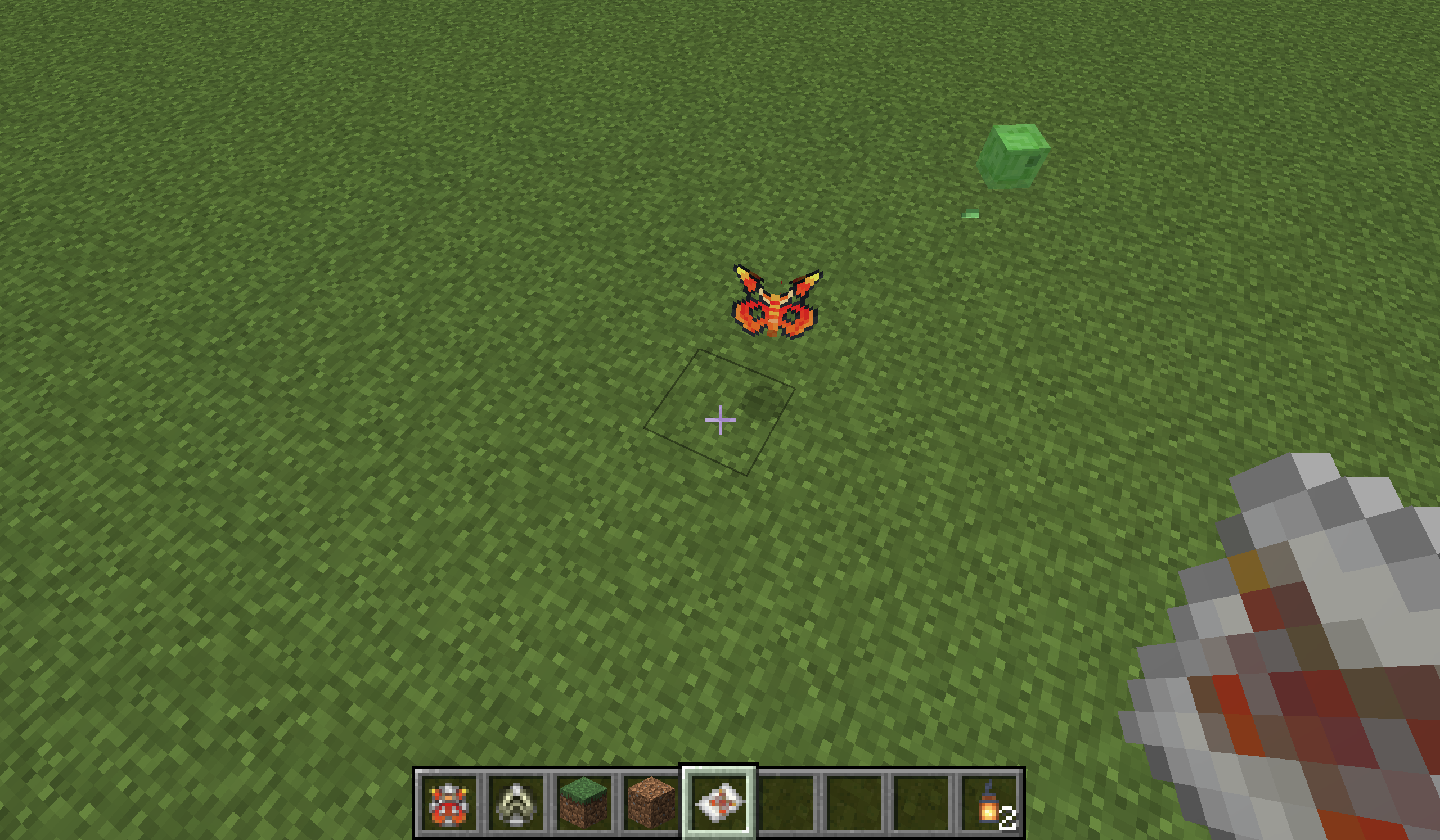
But I feel like I’m forgetting something. Some detail I was supposed to fix. There was a reason I wrote all of this code. What was it again?